The lab
Part 1. Choose tasks that cover what you really do
This is the most important step. Your benchmark can only tell you about the work it contains. If every task is an email, you learn which AI writes the best email, and that is all you learn.
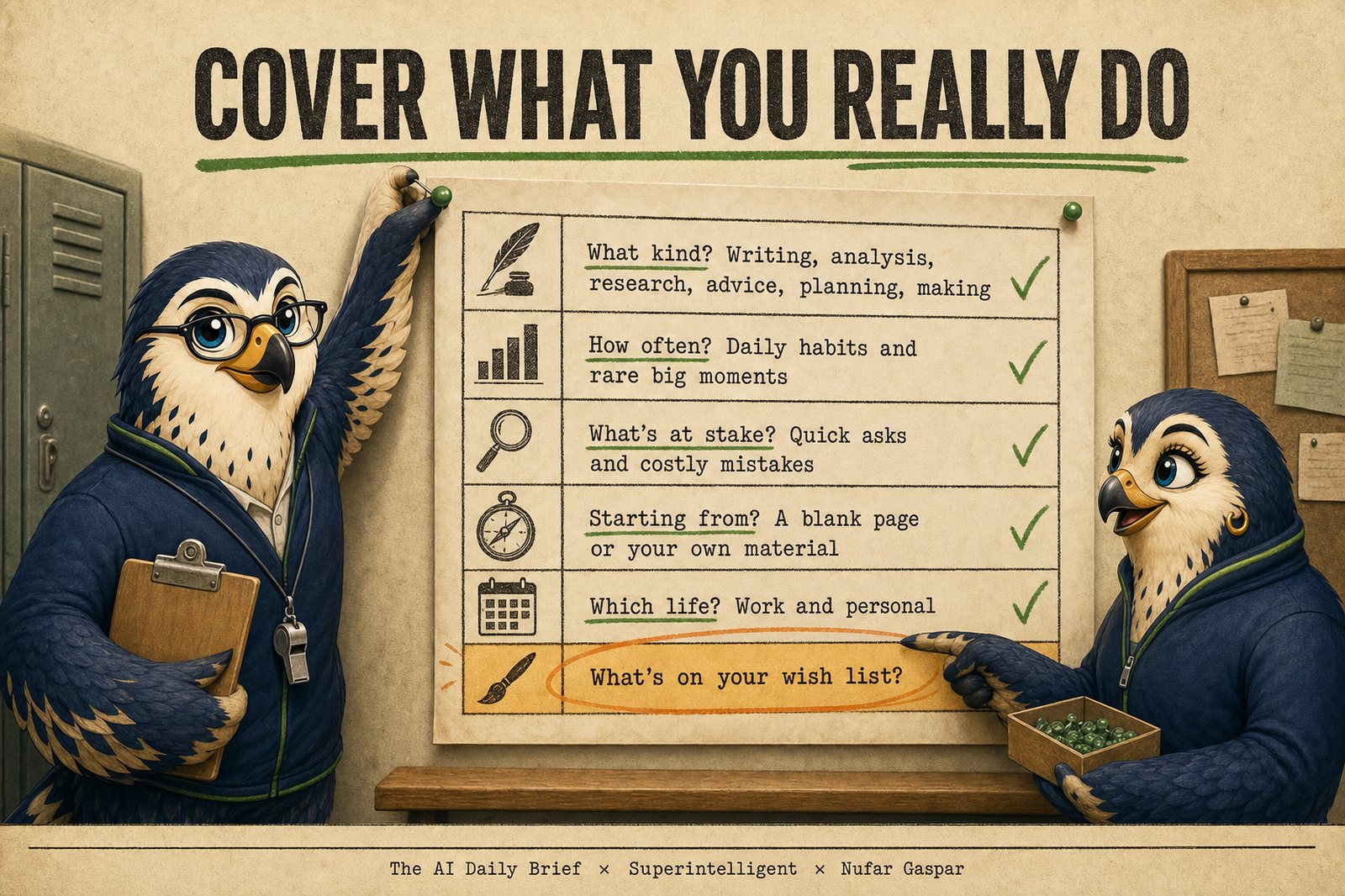
The Work Mix: six questions
The Work Mix is six questions that check your set covers what you really do. A good set of five or six tasks touches most of them.
| Question | Cover both ends | For example |
|---|---|---|
| What kind of work? | Writing, analysis, research, decisions and advice, planning and admin, making things | A board update. Reading a sales report. A brief on a competitor. A second opinion on a hire. A trip plan. A slide or an image. |
| How often? | Daily habits, and rare moments that matter | Your weekly team email, and the annual budget memo |
| What's at stake? | Quick, low-risk asks, and ones where a weak answer costs you | A lunch poll for the team, and a note to a client who is about to leave |
| Where does the AI start? | A blank page, or your own material | "Draft a welcome note" compared with "turn these meeting notes into a list of decisions" |
| Which part of life? | Work and personal | A hiring plan, and a birthday party for an eight-year-old |
| What's on your wish list? | Something you wanted AI to do and it couldn't | "Turn my messy strategy memo into slides I would present as they are" |
Four habits make the set stronger:
- Pick tasks where you can tell when an answer is off. You will judge the answers yourself, so choose work you know well enough to spot a weak, generic, or wrong answer quickly. A task where every answer looks fine to you cannot separate the options.
- Include one matter-of-taste task, where the best answer is simply the one you prefer. A message in your own voice is the classic. This is where differences between options are easiest to feel.
- Include one task you can check, where an answer is plainly right or wrong. Figures pulled from a table work well.
- Weight the set toward what fills your week. If most of your AI use is writing, two writing tasks is a fair share. Five would crowd out everything else.
A well-covered set: Maya's six tasks
Maya is chief operating officer of a 300-person logistics company. She uses AI most days, mainly for writing and for thinking through decisions. Here is a set that covers her real work.
| # | Task | Why it earns its place | What it covers |
|---|---|---|---|
| 1 | Turn her rough notes into the weekly leadership update, in her voice | Her most frequent request, and a matter of taste | Writing, weekly, her own material, taste |
| 2 | Find the story in a monthly table of on-time deliveries by region: three findings, and one question for each regional lead | Numbers she can check | Analysis, monthly, her own material |
| 3 | Argue against a proposal to close the smallest warehouse, and list what she would need to know before deciding | A rare decision with real consequences | Decisions and advice, rare, high stakes |
| 4 | Plan a difficult conversation with a manager who has missed targets twice | Judgment and tone, where a weak answer hurts | Advice, rare, high stakes, blank page, taste |
| 5 | Plan a three-day family weekend with two teenagers and a grandparent who walks slowly | Her main personal use of AI | Planning, occasional, personal |
| 6 | Turn a four-page strategy memo into five slides she would present as they are | Her wish: it has never worked well for her | Making things, rare, her own material, wish list |
The set has no research task. That fits, because Maya rarely asks AI to research. The set looks like her life.
A lopsided set, and how to fix it
Here is the set Maya first wrote down:
- Summarize a long email thread.
- Draft a reply to a customer complaint.
- Turn meeting notes into action items.
- Rewrite a paragraph to sound more professional.
- Draft the weekly leadership update.
All five are writing, daily, low stakes, from her own material, and work. There is no wish. Every good AI handles these well, so the result would be a tie that tells her very little.
The fix: keep the two she does most (3 and 5). Swap the other three for the warehouse decision, the delivery table, and the strategy slides. Each swap fills an empty row of the Work Mix.
Prompt 1: Find my tasks
Paste this into the AI tool that knows you best. If it has memory of you or access to your files, it starts from what it knows. If it knows nothing about you, it interviews you from the start. Answer in your own words, and correct it when it guesses wrong.
I want to build my personal AI benchmark. That is a small saved set of real requests from my own life, which I will give to several AI tools side by side, with the names hidden, to see which one does my work best. I will reuse the same requests, unchanged, every time a new AI model or tool comes out. Help me choose those requests by interviewing me.

A good set covers the mix of what I really do. Use these six questions as your map of my work:

1. What kind of work is it? Writing; analysis of numbers or documents; research; decisions and advice; planning and admin; making things such as images, slides, or web pages.
2. How often does it happen? Daily habits, and rare moments that matter a lot when they come.
3. What is at stake? Quick, low-risk requests, and ones where a weak answer would cost me.
4. Where does the AI start? From a blank page, or from my own material such as notes, a draft, a spreadsheet, or a long document.
5. Which part of my life is it? Work, or personal life.
6. Is it on my wish list? Things I have wanted AI to do for me that it could not do, or could not do well.

How to run the interview:

- Start with what you already know. If you have memory of me, our past conversations, or access to my files, begin by summarizing in a few lines what you think I use AI for, including the requests I seem to repeat or go back and forth on. Then ask me what you got wrong. If you know nothing about me, say so and start asking.
- Ask one question at a time, in plain language, and wait for my answer. Keep each question short.
- Start broad: my role, what a normal week looks like, and what I already use AI for. Then go deeper on the parts of the map my answers have not reached.
- Every few answers, tell me in one sentence which parts of the map are covered so far and which are still empty. Then ask about an empty one.
- Useful questions to draw on: Which request do you make most often? Where do you usually rewrite the answer, or ask several times before you are happy? Which rare task matters a lot when it comes, such as a board update or a difficult conversation? Where would a wrong answer embarrass you or cost money? What do you use AI for outside work, if anything?
- Near the end, always ask these three, one at a time: What have you always wanted AI to do for you that it could not do, or could not do well? What has frustrated you with AI recently? Which parts of your work do you still not trust AI with, and what would change your mind?
- Ask twelve questions at most. Stop earlier if the map is well covered or I say I am done.

Then propose my set: three to five everyday tasks (things I really do, regularly or at important moments) plus one or two wish-list tasks, with six tasks at most in total. Choose them so the set looks like my real life, and prefer tasks where I know the work well enough to tell quickly when an answer is off, because I will be the judge: several kinds of work, at least one rare but important moment, at least one where a weak answer would cost me, at least one that starts from my own material, and at least one where the best answer is a matter of taste, such as a message in my own voice. Weight the set toward the work that fills my week. Include a personal task only if I use AI outside work. If I use AI tools that can work with my files or take several steps on their own, include one task of that kind.

For each task, give me:

- A number and a short name.
- One line on why it earns its place, and which parts of the map it covers.
- The complete request I will paste, ready to use as it is. Where the request needs background material, such as meeting notes, a draft, figures, or an email thread, write realistic made-up material directly into it, as messy and specific as the real thing, so I never need to paste anything private or confidential. Keep each request short enough to paste into any chat window.
- A short scoring guide: two or three plain lines on what a great answer must include and what would make me reject it. To write it, ask me one question per task: how would I tell a great answer from a weak one here? Use my own words. If I cannot answer, tell me the task may not belong in the set, because I will be the judge.
- If the task asks for an image, slides, or a web page, a reminder that I will need to save those results in a folder to compare them.

Finish with a short table showing each task against the six map questions. Name any part of the map that is still missing, and say whether that matters for someone like me.

Then save it in the shape that fits where we are. If you can create files, make a folder called my-ai-benchmark with three things in it: a README.md that lists my tasks by number and name and leaves space for my lineup; a tasks folder with one file per task, named like 01-weekly-update.md, each with three headings in this order: "Why it is here" (one line), "Request" (the complete request to paste, with any made-up material written into it), and "Scoring guide" (the two or three lines we agreed); and an empty answers folder for the answers I collect later. If you cannot create files, give me everything in one document, numbered, with the requests complete, and I will save it myself. Before you save anything, ask me to review the set: for each request, is this something I would really send, in these words, with material like this? Ask what to swap, what to sharpen, and what is missing from my real week. Revise until I say the set is mine. Only then save it, and remind me to keep these exact requests unchanged from that point on, because I will paste them every time something new comes out.
Make it yours before you save it. The list is a draft of your work, written by a tool that knows only what you told it. Read every request as if you were about to send it for real. Ask three things of each: Would I really ask this, in these words? Is the material close enough to my real material that a weak answer would show? Does this set, taken together, look like my week? Would I notice quickly if an answer here was off? Swap anything you would never send. Sharpen a request that is vaguer than your real ones. Add material that is closer to yours, with names and numbers changed. Then hold the set up against Maya's lopsided set: if most of your tasks are the same kind of work, swap one for an empty part of the map. The prompt asks you for these corrections before it saves; give it real ones. A benchmark that tests tasks you never do tells you nothing, however neat it looks.
Say what good looks like, before you see a single answer. For each task the prompt asks you one question: how would you tell a great answer from a weak one? Your reply becomes a short scoring guide, two or three lines, saved with the task. In the taste test you only glance at it before you pick. Written now, it is a commitment. Written after you have read the answers, it would only explain the choice you already made. And if you cannot say what good looks like for a task, you will struggle to judge it, so swap it for one where you can.
Done: four to six numbered requests, each ready to paste and each with a line on why it is there, saved in one of two shapes:
- In a chat tool: one document with the numbered requests and a results section at the bottom. Keep it where you keep notes.
- In a tool that can create files (Claude Code, Codex, Cursor, Cowork): a folder called
my-ai-benchmark. It holds a README that lists the tasks, atasksfolder with one file per task, and an emptyanswersfolder. Each task file holds why it is here, the request, and a short scoring guide. Prompt 1 builds it for you. The same folder feeds the blind-shuffle script in Step 3, and later the automated version, with no reformatting.
The requests are plain text with the material written in, so they work in any chat window. You never need an agent tool to run the taste test.